
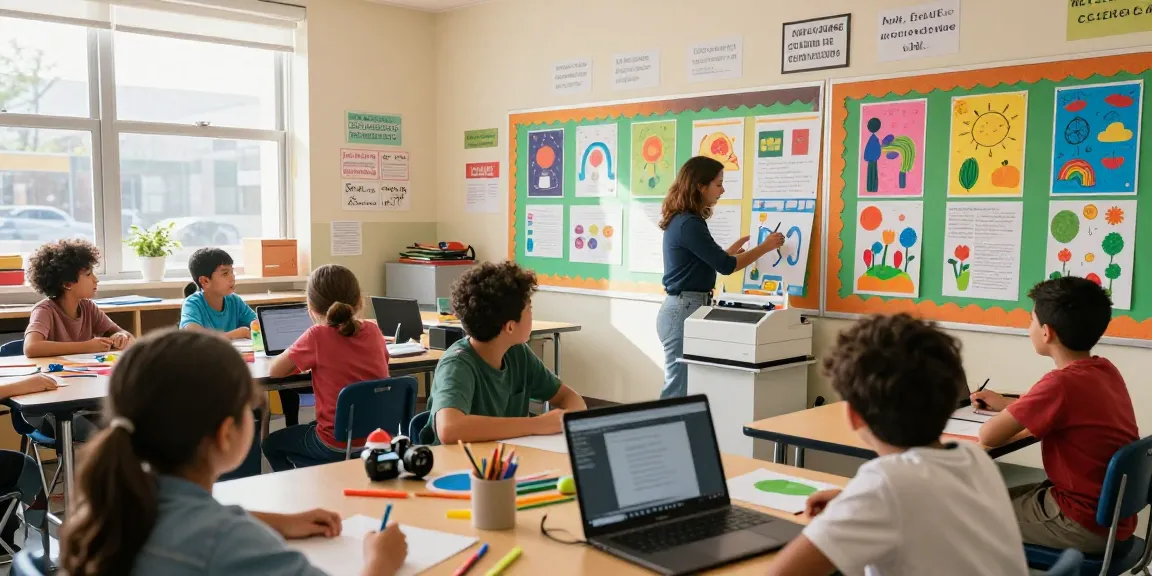
Understanding the Poster Making Machine
A poster making machine serves as an invaluable tool in educational settings, enabling educators and students to create visually compelling materials that enhance learning and engagement. In recent years, these machines have evolved significantly, offering various options to suit different needs and budgets. This comprehensive guide explores what a poster making machine is, its key features and benefits, the types available for schools, and how these devices can transform educational experiences.
What is a Poster Making Machine?
A poster making machine is a specialized printer designed to produce large-format prints suitable for posters, banners, and other visual displays. These machines are available in various sizes and functionalities, ranging from compact models for classroom use to advanced systems suitable for professional environments. They can print high-resolution images, text, and graphics, effectively communicating information visually. Widely used in classrooms, events, and school projects, poster making machines are indispensable in fostering creativity and visual learning.
Key Features and Benefits
- High-Quality Printing: Most poster making machines offer superior print quality, capturing vibrant colors and intricate details that make educational materials stand out.
- Versatility: These machines can print on various media types, including paper, vinyl, and fabric, making them adaptable for different projects.
- User-Friendly Interfaces: Many poster makers come with intuitive software that simplifies the design process, even for users with little technical skill.
- Durability: Designed for frequent use, quality poster making machines can handle the demands of a busy educational environment.
- Cost-Effective Production: Schools can produce their promotional materials in-house, saving costs compared to outsourcing printing services.
Types of Poster Making Machines for Schools
When selecting a poster making machine for educational use, it’s essential to consider the various options available:
- Inkjet Printers: These are popular for their affordability and high-quality color prints. They are suitable for classrooms needing vibrant visuals.
- Laser Printers: Known for their speed and efficiency, laser printers are ideal for bulk printing tasks and produce crisp text.
- Wide Format Printers: Designed for large projects, these machines can print posters that exceed standard page sizes, perfect for events or displays.
- All-in-One Systems: These multifunctional machines combine printing, scanning, and copying capabilities, catering to diverse needs within a school setting.
Choosing the Right Poster Making Machine
When exploring options, Poster Making Machine provides comprehensive insights for educators seeking the ideal solution for their institutions. Factors like print size, type, and function all play a pivotal role in making the right choice.
Considerations for Educational Settings
Choosing the appropriate machine requires assessing your school’s specific needs. Consider the following:
- Print Volume: Estimate the number of prints needed monthly to determine the machine’s capacity.
- Space Availability: Ensure there is enough room for the machine, including areas for loading materials and managing output.
- Budget: Evaluate total costs, including the initial purchase, operating costs, ink or toner prices, and maintenance fees.
- Staff Training: Factor in the ease of use and whether staff need specialized training to operate the machine effectively.
Comparing Popular Models
When evaluating different models, educators should look at reviews, features, and specifications that meet their needs. Comparison can help highlight areas such as:
- Print Speed: Faster print times can enhance productivity, especially during busy periods like school events.
- Print Quality: Review image resolution specifications to ensure that the machine can produce the level of quality required for educational materials.
- Connectivity Options: A model with wireless capabilities allows for additional flexibility and ease of use within classrooms.
Cost-Benefit Analysis for Schools
Determining the financial viability of purchasing a poster making machine involves assessing both direct and indirect costs:
- Initial Costs: Consider the upfront expenditure required to purchase the machine and any necessary accessories.
- Operating Costs: Include expenses for ink, paper, and maintenance over time.
- Opportunity Costs: Analyze how the machine can save time and effort by reducing outsourcing needs, thereby justifying its investment.
Best Practices for Using a Poster Making Machine in Education
Integrating Technology into Curriculum
Utilizing a poster making machine in the classroom opens doors to innovative teaching methods. Educators can integrate technology by encouraging students to design projects that involve:
- Research Presentations: Students can create informative posters on various topics, enhancing their research and design skills.
- Visual Storytelling: Using posters to illustrate narratives can help improve comprehension and engagement in subjects like literature and history.
- Art Projects: Art classes can benefit from large format printing, allowing students to display their work effectively.
Promoting Creativity in Students
Poster making machines can significantly boost student creativity by providing tools to express their ideas visually. Implementing creative assignments that use these machines can:
- Encourage collaborative projects that foster teamwork and communication.
- Inspire students to explore different design styles and techniques.
- Allow for personalized expressions of learning, making projects more meaningful.
Tips for Training Staff and Students
To maximize the use of poster making machines, it’s crucial to train both staff and students effectively. Consider implementing the following strategies:
- Workshops: Organize workshops to familiarize users with the machine’s features and capabilities.
- Guidelines: Develop user-friendly instructions and best practices that can be easily accessed.
- Encourage Peer Learning: Pair experienced users with beginners for hands-on training sessions.
Common Challenges and Solutions
Addressing Equipment Limitations
Like any technology, poster making machines may present challenges. Common issues include:
- Print Quality Issues: Regular maintenance can address color discrepancies or fading, ensuring consistent output.
- Software Compatibility: Choose machines that integrate seamlessly with existing software to minimize disruptions in workflow.
- Power Supply Challenges: Ensure that adequate power sources and surge protectors are available to prevent interruptions.
Enhancing User Experience with Software
Most modern poster making machines come equipped with user-friendly software. To enhance the user experience:
- Utilize Templates: Templates can simplify the design process, especially for less experienced users.
- Train on Software Features: Make sure staff and students understand all software capabilities, including layering and image editing.
- Feedback Mechanisms: Set up ways for users to provide feedback on the software for continuous improvement.
Resolving Printing Issues
To troubleshoot common printing issues:
- Color Calibration: Regularly calibrate machines to maintain accurate color output.
- Material Compatibility: Ensure that the material used is compatible with the printer specifications to avoid jams and poor print quality.
- Regular Maintenance Checks: Schedule routine maintenance to prevent more significant issues from developing.
Future Trends in Poster Making Technology
Innovations to Expect by 2026
As technology continues to advance, several trends will influence the future of poster making machines:
- Smart Integration: Expect to see more machines equipped with AI capabilities that can suggest design improvements or automate processes.
- Sustainable Printing: With an increasing emphasis on environmental responsibility, eco-friendly materials and inks will likely become more prevalent.
- Enhanced Connectivity: Future machines may come with improved connectivity options, enabling more streamlined workflows across devices.
Adapting to Digital and Remote Learning
In a world where remote learning is becoming the norm, poster making technology will adapt by providing online design tools that students can access from anywhere. These tools could feature:
- Cloud Storage Features: Allowing students to save and access their designs from multiple devices.
- Collaboration Tools: Enabling real-time collaboration among students and teachers during projects, irrespective of location.
Predictions for Classroom Technologies
As educational technologies evolve, we can anticipate the following developments in classroom settings:
- Increased Focus on STEAM: Poster making machines may become integral in STEAM (Science, Technology, Engineering, Arts, and Mathematics) education, encouraging interdisciplinary projects.
- Integrative Learning Platforms: Expect more machines to integrate with learning management systems for streamlined project submissions and grading.
What types of projects can I create with a poster making machine?
Poster making machines can be used for a wide range of projects, including:
- Educational Posters: Create informative displays for classrooms or hallways on various subjects.
- Event Banners: Design banners for school events, graduations, or open houses.
- Artistic Projects: Produce high-quality prints of student artwork for exhibitions.
- Marketing Materials: Generate promotional materials for school functions, clubs, or activities.
How do I maintain a poster making machine?
Proper maintenance involves:
- Regular Cleaning: Clean print heads and rollers as per the manufacturer’s instructions to avoid clogs and ensure consistent quality.
- Updating Software: Keep the machine’s software up-to-date to benefit from improvements and new features.
- Monitoring Supplies: Regularly check ink and paper levels to prevent interruptions during printing.
Can a poster making machine be used for both educational and personal projects?
Absolutely! While primarily designed for educational use, these machines can also accommodate personal projects, enabling users to create:
- Home Decor: Design custom prints for interior decoration.
- Event Invitations: Produce unique invitations for parties and gatherings.
- Art Prints: Print high-quality reproductions of original artwork.
What is the cost range for a poster making machine suitable for schools?
The cost of poster making machines can vary widely based on features and capabilities. Generally, schools can expect to pay:
- Entry-Level Models: Starting around $200-$500 for basic functionality and smaller print sizes.
- Mid-Range Options: Typically between $500 and $1500, offering a good balance of features and print quality.
- Professional-Grade Machines: Ranging from $1500 to $5000 and above, suitable for high-volume and high-quality requirements.
Are there eco-friendly options for poster making machines?
Many manufacturers are beginning to offer eco-friendly options, including:
- Energy-Efficient Designs: Machines that use less power during operation.
- Sustainable Materials: Utilizing biodegradable inks and recyclable printing media.
- Waste Reduction Features: Technology that minimizes waste by optimizing print layouts.